We Use Cookies
We use cookies to enhance your browsing experience, analyze site traffic, and personalize content. By clicking "Accept All", you consent to our use of cookies. You can customize your preferences or reject non-essential cookies.
Learn more about our cookie policyEnable Sandbox Same-Origin: Run Interactive Code in AI·Collab
Learn how to enable the 'Sandbox Allow Same Origin' setting to execute interactive HTML, JavaScript, and games directly in your browser.
What Are Artifacts in AI·Collab?
AI·Collab's Artifacts feature lets you create and view interactive content directly in your chat interface. You can generate HTML pages, JavaScript visualizations, games, and more—all rendered live in a secure browser sandbox. However, to make these artifacts fully interactive, you need to enable one important setting: 'Sandbox Allow Same Origin'.
The Problem: Security Errors
By default, AI·Collab runs artifacts in a secure sandboxed iframe. This is great for security, but it can prevent some interactive features from working properly. If you try to run code that needs to access the same origin (like certain JavaScript features, localStorage, or same-origin requests), you might see an error like:
Uncaught SecurityError This happens because the browser's same-origin policy blocks access when the sandbox doesn't allow same-origin access.
How to Enable Sandbox Same-Origin
Enabling this setting is simple and takes just a few clicks:
1Step 1: Open User Settings
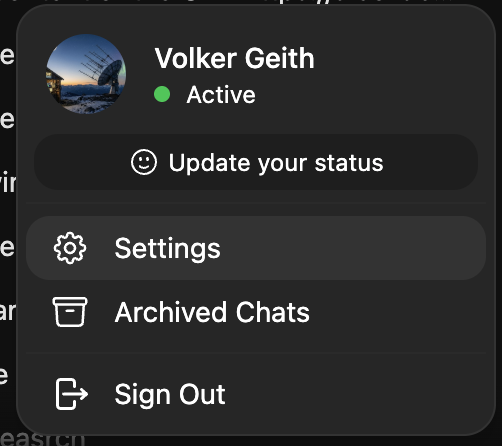
Click on your profile picture or username in the top-right corner, then select 'Settings' from the dropdown menu.
2Step 2: Navigate to Interface Settings
In the Settings page, click on 'Interface' in the left sidebar. Scroll down to the 'Artifacts' section.
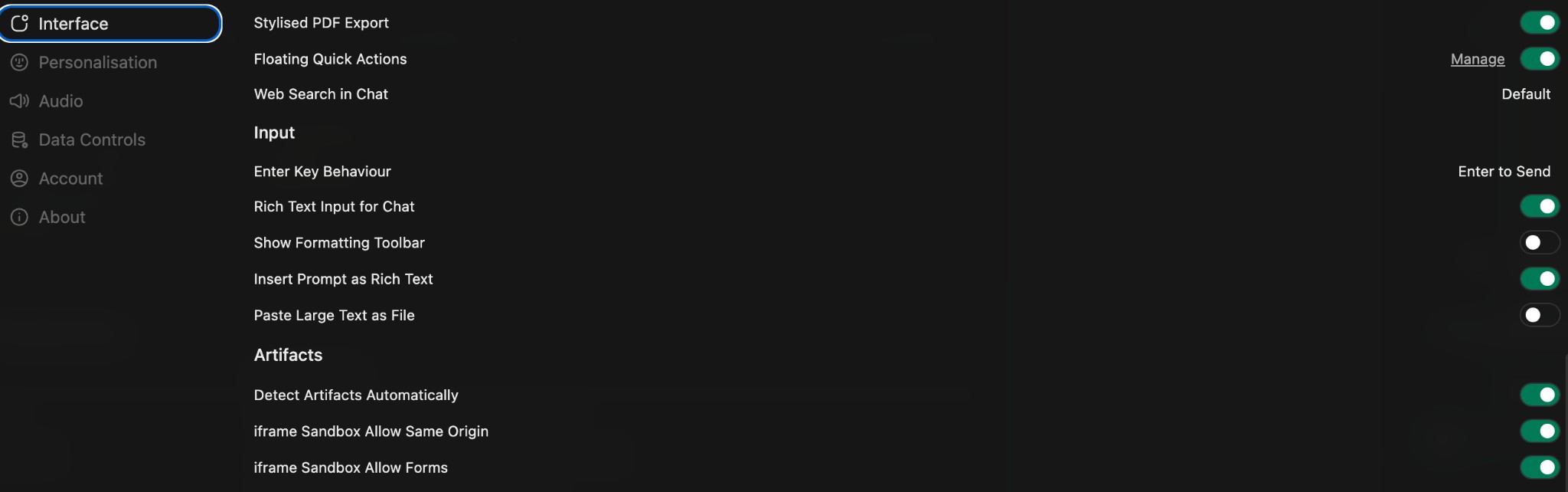
Toggle ON 'iframe Sandbox Allow Same Origin' This enables same-origin access for artifacts, allowing interactive code to run properly.
Why Enable This Setting?
Interactive Web Content
Create fully interactive HTML pages with JavaScript that can manipulate the DOM, handle events, and create dynamic user experiences.
Games & Animations
Build and play games directly in the chat interface. Perfect for creating prototypes, demos, or just having fun with AI-generated games.
Data Visualizations
Use libraries like D3.js, Three.js, or Chart.js to create interactive charts, graphs, and 3D visualizations that respond to user input.
Rapid Prototyping
Quickly prototype web applications, landing pages, or UI components and see them rendered live without leaving the chat.
Example: Creating a Flappy Bird Game
Here's a real example of what you can create once this setting is enabled:
The Prompt
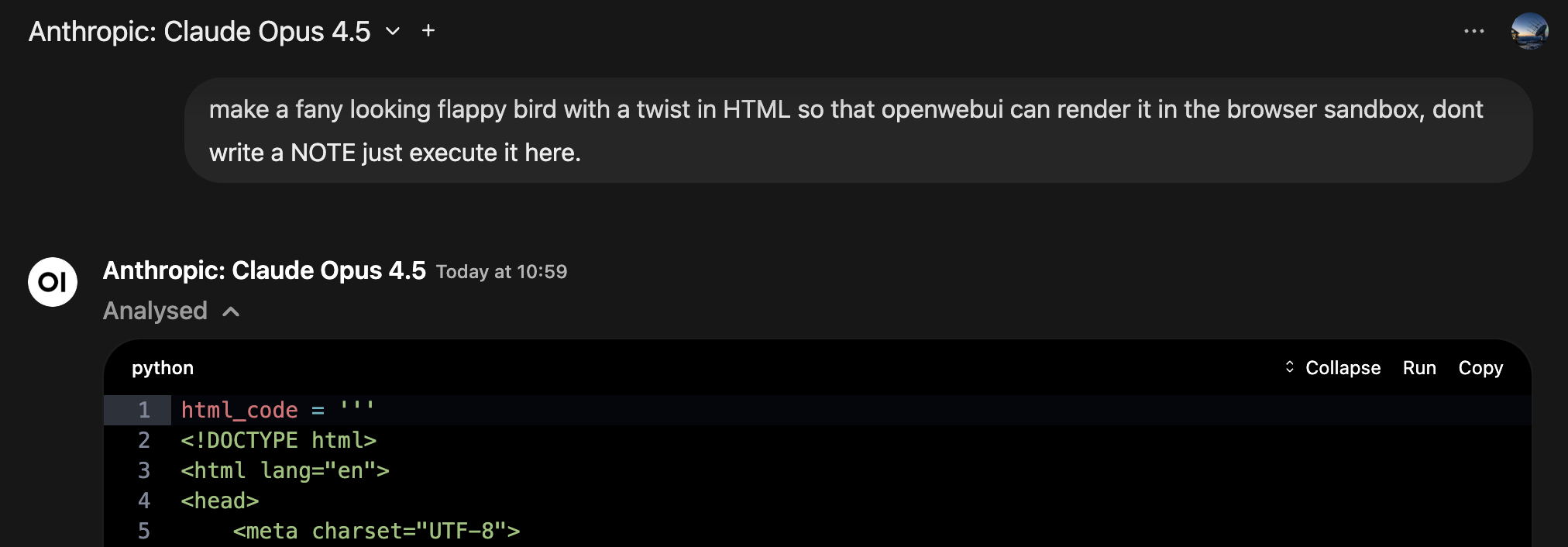
Simply ask your AI model to create an interactive game. The model generates HTML, CSS, and JavaScript code that creates a playable game.
The Result
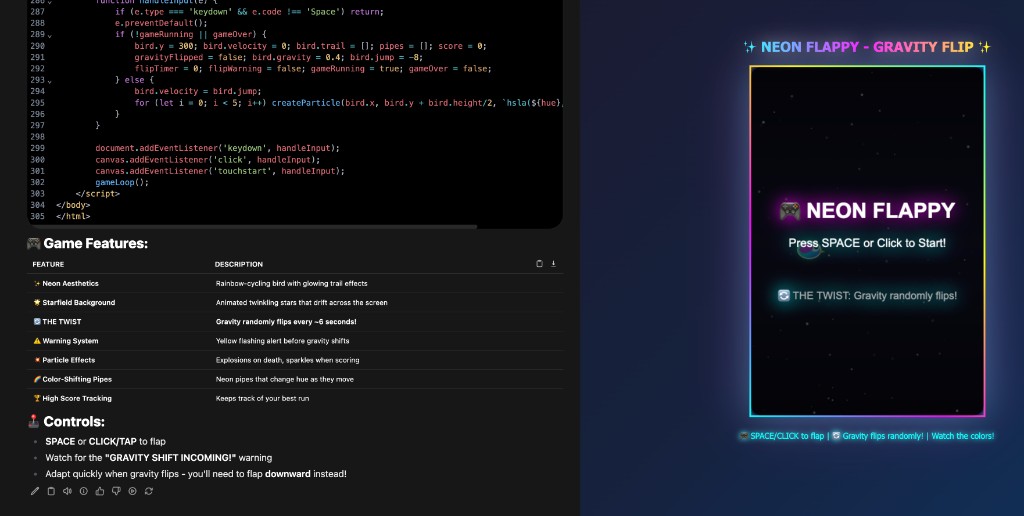
The game renders directly in the Artifacts panel on the right side of your chat. You can play it immediately, interact with it, and even ask the AI to modify it.
Interactive Gameplay
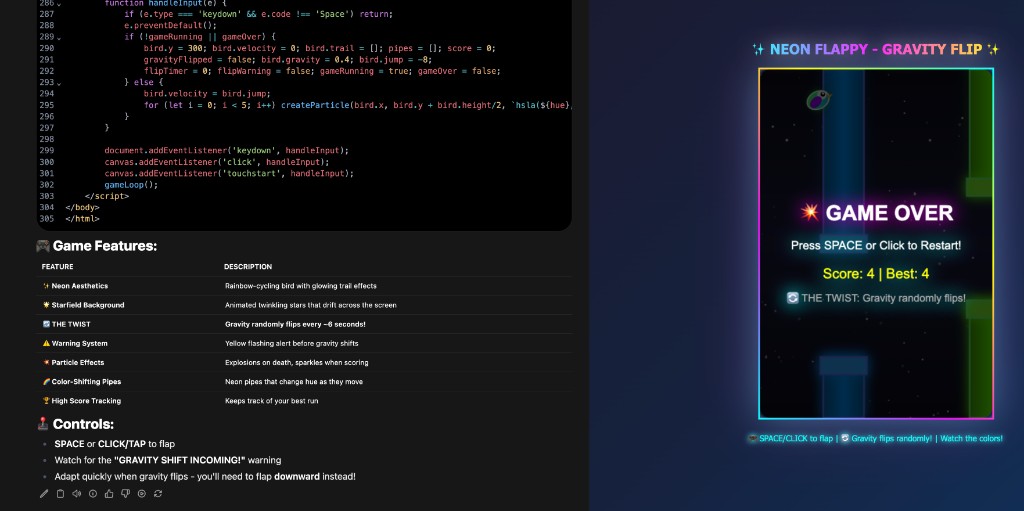
With same-origin access enabled, the game can track scores, handle user input, manage game state, and create a fully interactive experience—all running securely in the browser sandbox.
What You Can Create
✅ Interactive web applications
✅ Games and animations
✅ Data visualizations (D3.js, Three.js)
✅ Landing pages and prototypes
✅ Interactive demos and presentations
✅ Educational interactive content
Summary
Enabling 'Sandbox Allow Same Origin' unlocks the full potential of AI·Collab's Artifacts feature. It's a simple toggle that makes your generated content truly interactive, allowing you to create games, visualizations, and prototypes that work exactly as intended.
Quick Steps:
- Click your profile → Settings
- Go to Interface → Artifacts section
- Toggle ON 'iframe Sandbox Allow Same Origin'
- Start creating interactive content!
Related Articles
NEW: Google Drive & OneDrive Integration — Access Your Files Directly in Chat
Attach documents from your cloud storage with one click. Connect Google Drive and Microsoft OneDrive to AI·Collab for seamless file access.
Read moreMultiple Models in Tabs: Compare, Learn & Merge Results
Use multiple AI models simultaneously in separate tabs. Compare different perspectives, verify information, and merge the best insights into one comprehensive answer.
Read moreAGENTIC AI: Models That Think, Remember & Research Autonomously
Discover how frontier AI models can now manage your memories, search knowledge bases, and access chat history—without you asking.
Read moreReady to Experience 300+ AI Models?
Get started today. Access models from OpenAI, Google, Anthropic, Grok and more.
GDPR compliant · Zero data retention · Cancel anytime