We Use Cookies
We use cookies to enhance your browsing experience, analyze site traffic, and personalize content. By clicking "Accept All", you consent to our use of cookies. You can customize your preferences or reject non-essential cookies.
Learn more about our cookie policyMultiple Models in Tabs: Compare, Learn & Merge Results
Use multiple AI models simultaneously in separate tabs. Compare different perspectives, verify information, and merge the best insights into one comprehensive answer.
Why Use Multiple Models at Once?
Instead of asking one AI model and hoping for the best answer, what if you could ask three different models the same question and compare their responses side-by-side? AI·Collab's multi-model tabs feature lets you do exactly that. You can select multiple AI models, ask them all the same question simultaneously, and view their responses in separate tabs—all in one interface.
How It Works
Select multiple models from the model list, and each one gets its own tab. When you ask a question, all selected models respond in parallel, giving you multiple perspectives instantly.
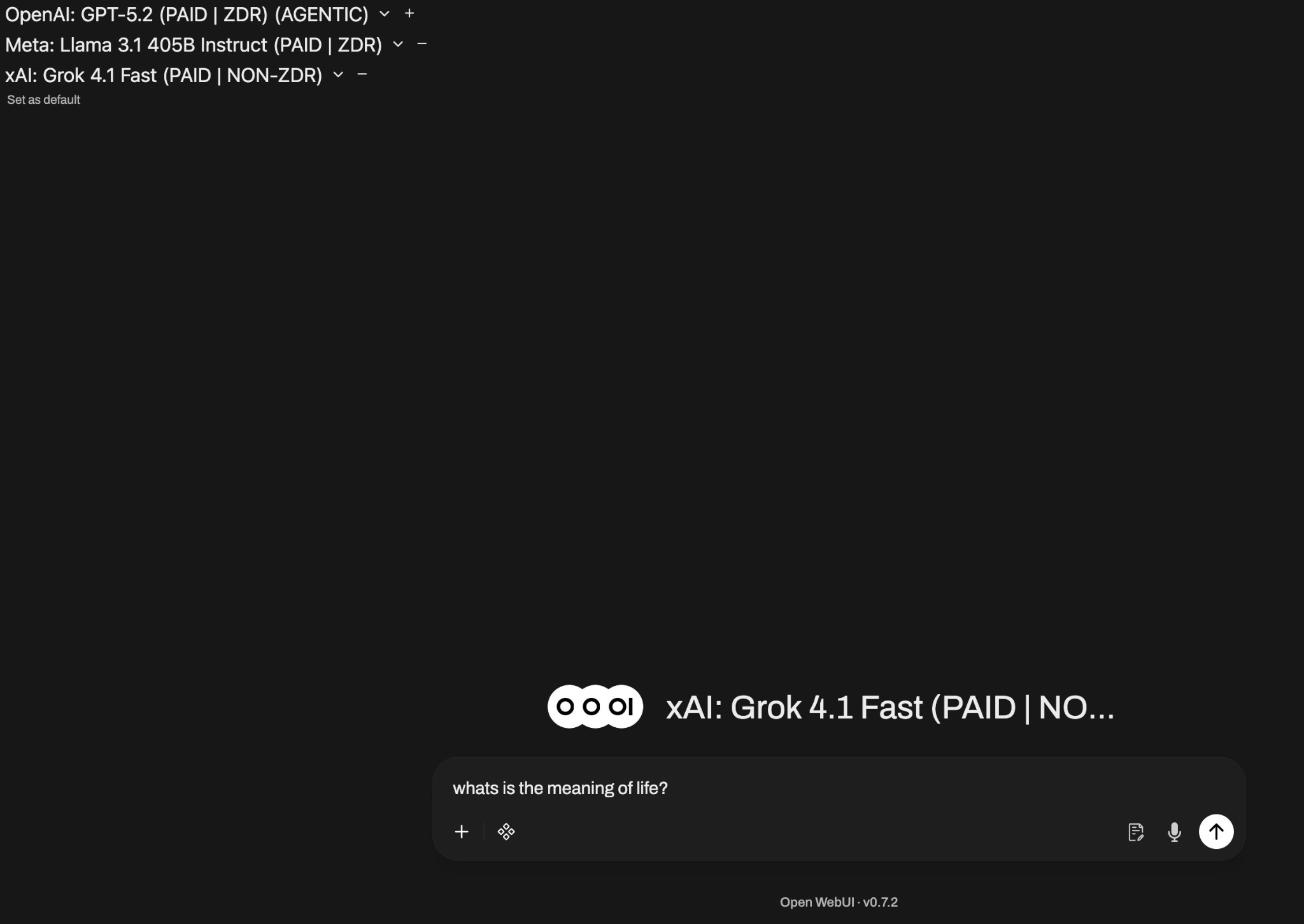
Select multiple models and each gets its own tab for parallel responses
Why This Is Beneficial
Side-by-Side Comparison
See how different models approach the same question. Some might be more detailed, others more concise. Some focus on technical aspects, others on practical applications.
Diverse Perspectives
Each AI model has its own strengths and training data. GPT-5.2 might excel at reasoning, Llama might offer different viewpoints, and Grok might add humor or unique insights.
Save Time
Instead of copying your question to multiple chat windows, ask once and get multiple responses instantly. No need to switch between tabs or remember what you asked where.
Build Confidence
When multiple models agree on an answer, you can be more confident it's accurate. When they differ, you get a fuller picture of the topic's complexity.
Real Example: 'What is the Meaning of Life?'
Let's see how three different models answered this philosophical question:
GPT-5.2's Response
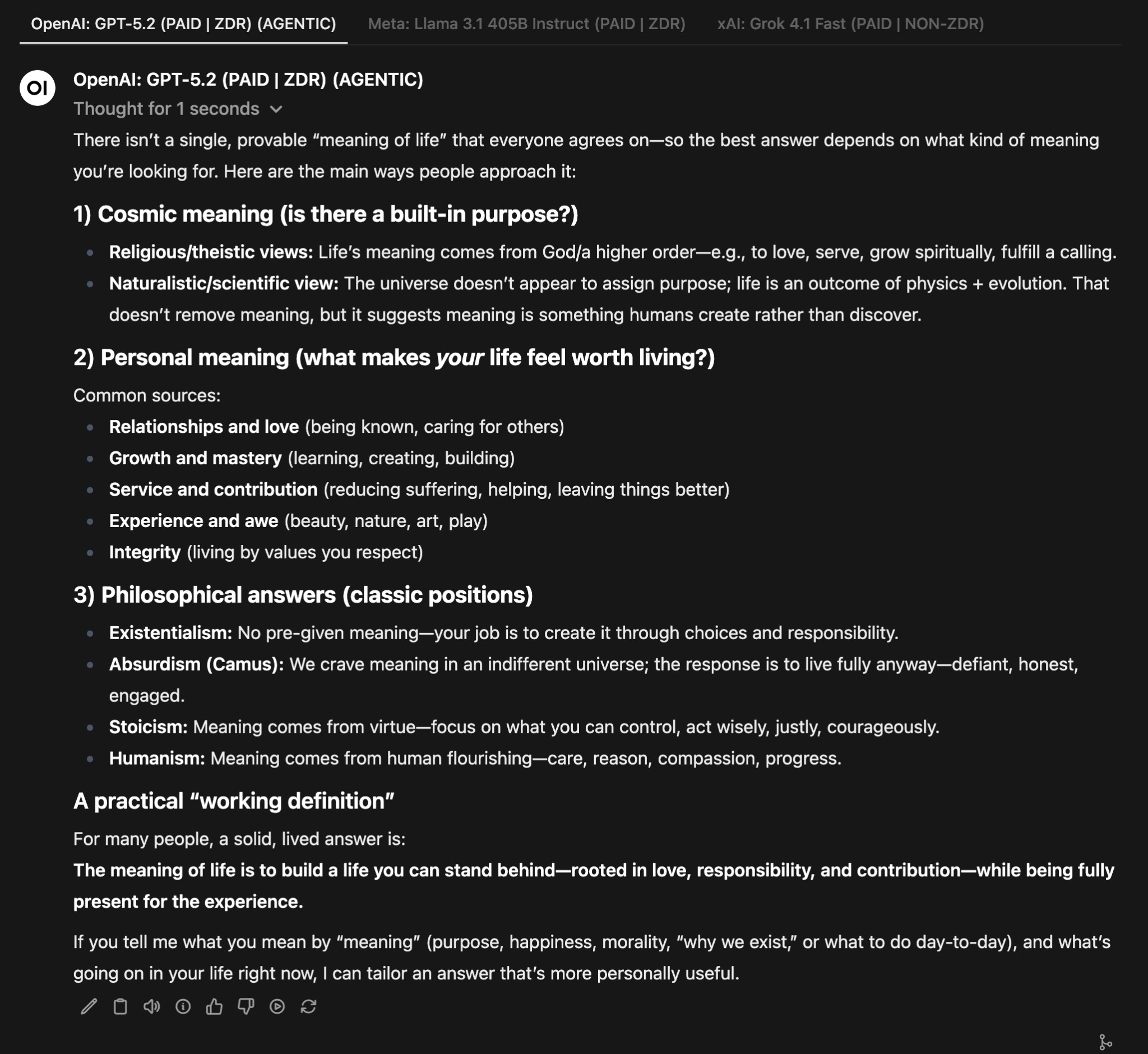
GPT-5.2 provided a structured, comprehensive answer breaking down cosmic meaning, personal meaning, and philosophical stances. It offered a practical 'working definition' and referenced Viktor Frankl's perspective.
Llama 3.1's Response
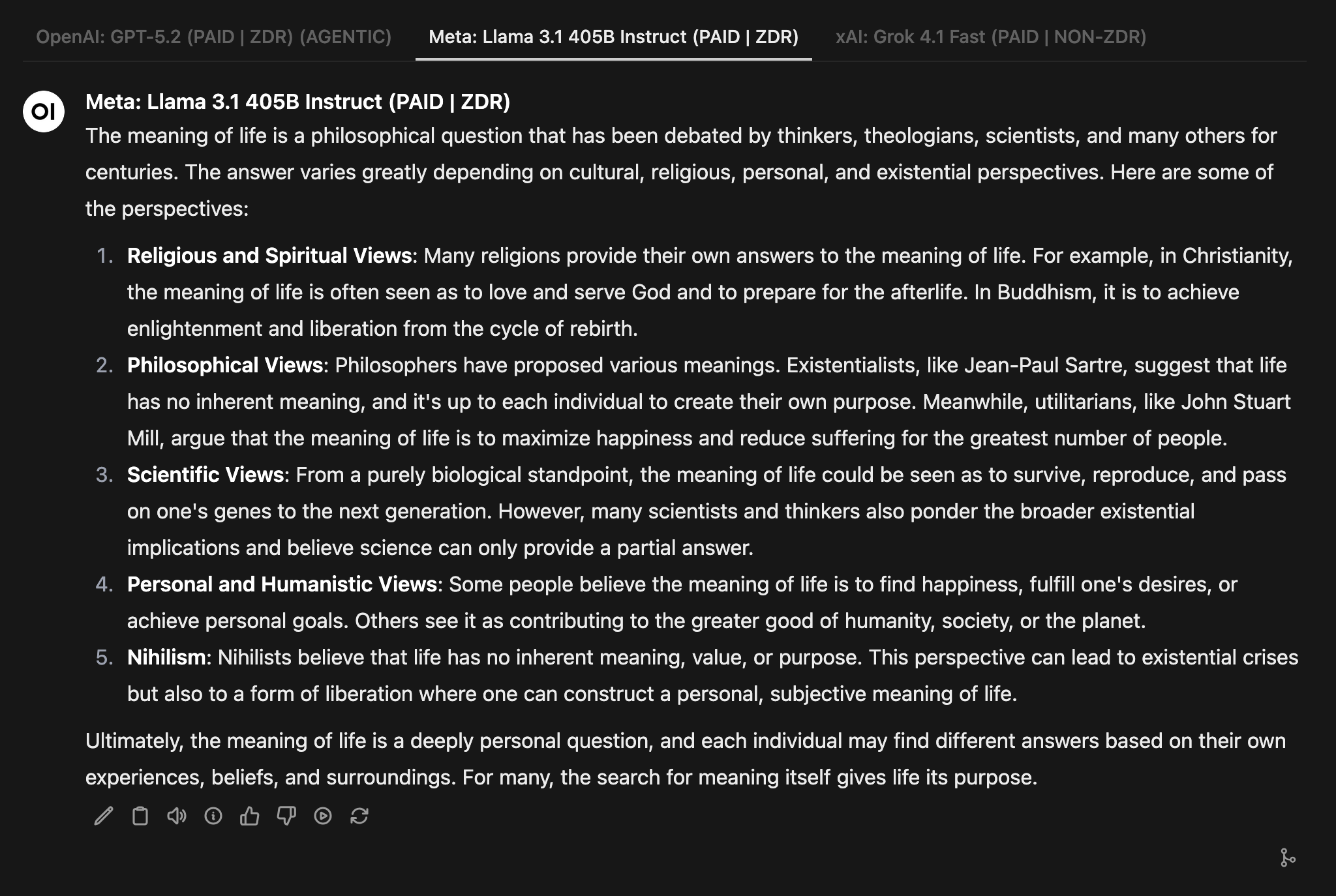
Llama 3.1 offered a different structure, focusing on religious/spiritual views, philosophical views, scientific views, and personal/humanistic views. It concluded with a thoughtful note about the search for meaning itself.
Grok 4.1's Response
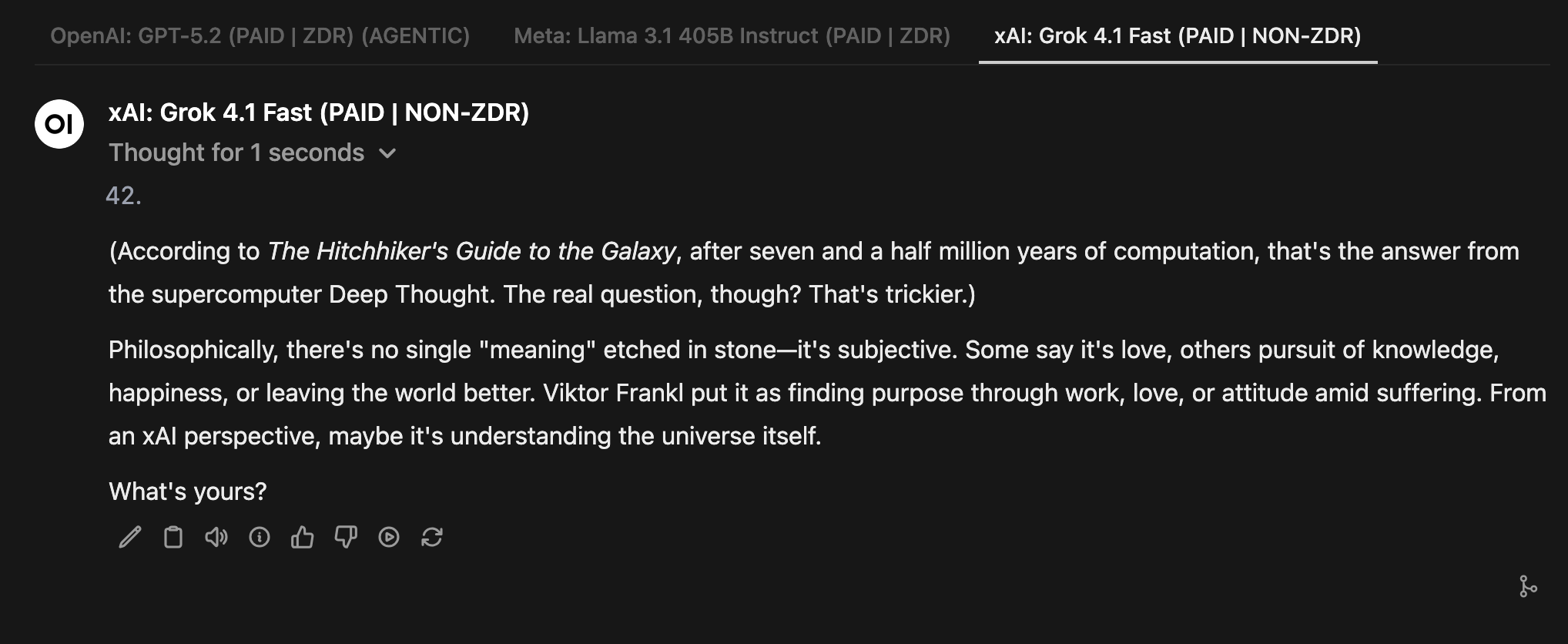
Grok 4.1 started with the famous '42' reference from The Hitchhiker's Guide to the Galaxy, then provided a concise philosophical answer and asked 'What's yours?'—showing its unique, conversational style.
Merging Results: The Best of All Worlds
After comparing responses from multiple models, you can merge the best insights into one comprehensive answer. This gives you a balanced, well-rounded response that combines the strengths of each model.
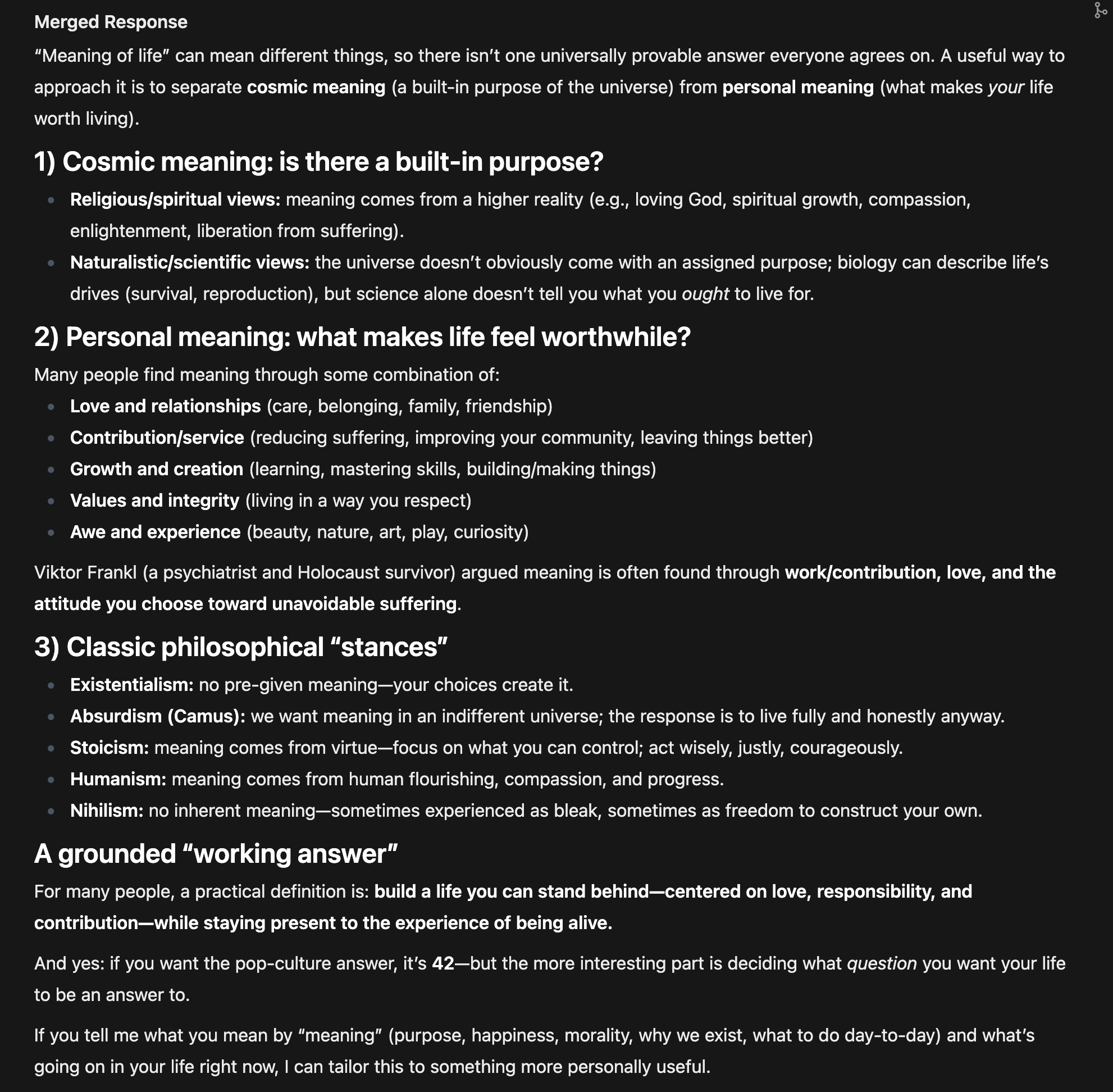
Benefits of Merging:
- Get a more complete answer that covers multiple angles and perspectives
- Balance different viewpoints—technical depth from one model, practical examples from another
- Capture unique insights that only one model might have mentioned
- Create a final answer that's more reliable and well-rounded than any single model's response
Perfect For
✅ Research projects needing multiple viewpoints
✅ Important decisions requiring verification
✅ Learning complex topics from different angles
✅ Content creation needing diverse perspectives
✅ Fact-checking by comparing multiple sources
✅ Exploring topics where you want to see all sides
Summary
Using multiple AI models in tabs isn't just a technical feature—it's a powerful way to get better, more reliable answers. By comparing different perspectives and merging the best insights, you can make more informed decisions and gain deeper understanding.
💡 Pro Tip:
Start with 2-3 models for comparison. Too many tabs can be overwhelming. Choose models with different strengths—for example, pair a reasoning-focused model with a creative one, or a technical model with a conversational one.
Related Articles
ChatGPT vs Claude vs Gemini for Teams (2026)
Honest comparison of GPT-5, Claude Opus 4.6, and Gemini 2.5 Pro for business teams — strengths, GDPR compliance, pricing, and why the smartest teams use all three.
Read moreHow to Choose the Right AI Model for Your Task
A practical guide to selecting and using AI models effectively with AI·Collab.
Read moreFree Models: Exploring ZDR and Non-ZDR Options
Discover free AI models available on AI·Collab. Learn about ZDR vs Non-ZDR models, understand the pros and cons, and find out how to access them.
Read moreReady to Experience 300+ AI Models?
Get started today. Access models from OpenAI, Google, Anthropic, Grok and more.
GDPR compliant · Zero data retention · Cancel anytime